

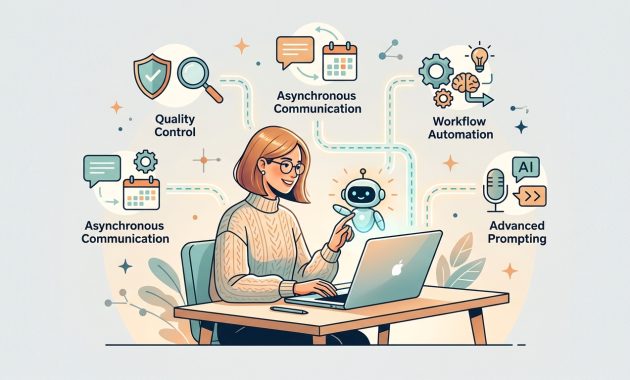
5 Skills You Must Master to Thrive in Remote Work in 2027

The landscape of remote work has evolved. Working remotely in 2027 is no longer just about operating from a home office—it is defined by how effectively you collaborate with artificial intelligence. 5 Skills You Must Master to Thrive in Remote Work in 2027
As AI transitions from simple generative chatbots to fully autonomous “agentic AI” systems capable of running complex workflows, traditional remote tasks—like manual data entry, routine reporting, and scheduling—are rapidly disappearing. To stay competitive in global markets like North America and Europe, remote professionals must pivot from executing basic tasks to managing systems, verifying AI output, and solving high-level problems.
Here are the essential skills required to stay relevant in the AI-driven remote workforce, along with concrete strategies for mastering them.
1. Advanced AI Prompting & Context Architecture
Basic one-line prompts are obsolete. In 2026, high-performing remote workers operate as “context architects” who provide AI models with structured data, system instructions, and multi-step objectives.
- How to Execute:
- Master System Rules: Structure your inputs using context, task constraints, reference examples, and output formatting expectations.
- Chain-of-Thought Prompting: Instruct the AI to demonstrate its step-by-step reasoning before delivering a final answer, which significantly reduces errors.
2. AI Quality Control & Fact-Checking (Curbing “AI Workslop”)
With AI producing vast amounts of instant content, a major workplace challenge is “AI Workslop”—low-quality, unverified AI output that wastes team resources. Employers are prioritizing professionals who can rigorously review, verify, and refine AI-generated work.
- How to Execute:
- Implement the 80/20 Rule: Let AI complete the initial 80% (drafting, structuring, or aggregating data), then apply human expertise to the remaining 20% (fact-checking, tone adjustment, and strategic alignment).
- Build a Verification Checklist: Always double-check data sources, citations, logic flow, and brand compliance before submitting any deliverable.
3. Asynchronous Communication & Documentation
Because remote teams span global time zones, live meetings are increasingly minimized in favor of asynchronous workflows. Clear, written documentation enhanced by AI leads to faster decision-making.
- How to Execute:
- Write Async Memos: Practice presenting project updates using concise, clear write-ups (proposing solutions directly) rather than scheduling unnecessary status calls.
- Leverage AI Summarizers: Use AI to distill long discussions, extract action items, and maintain central documentation automatically.
4. No-Code Workflow Automation
Understanding how to connect systems without writing complex code is a critical multiplier for remote operational roles.
- How to Execute:
- Map Workflows:Identify repetitive tasks in your daily routine (e.g., syncing customer leads to spreadsheets or formatting reports).
- Connect Applications:Use no-code tools (such as Zapier or Make) to build automated triggers between your email, CRM, and task management software.
5. Critical Thinking & Complex Problem-Solving
While AI handles data aggregation and routine analysis, human judgment remains essential for navigating ambiguity, ethical considerations, and strategic decisions. 5 Skills You Must Master to Thrive in Remote Work in 2027
- How to Execute:
- Focus on “Why” over “What”: Shift your focus from gathering data to interpreting what the data means for the business.
- Pressure-Test AI Logic: Evaluate AI recommendations by asking: “What assumptions is this model making?” and “What edge cases are missing?”
Summary Checklist for Remote Professionals
| Skill Area | Daily Application | Strategic Goal |
| Prompting | Designing structured, multi-step inputs | Maximize AI accuracy |
| Quality Control | Editing and verifying AI outputs | Eliminate low-value “workslop” |
| Async Writing | Creating clear, documented project briefs | Reduce real-time meeting fatigue |
| Automation | Linking daily tools via no-code workflows | Save operational time |

